⚠️Warning: solo-lu-df made breaking changes in 2.0. See the
migration guide and changelog for more
information.
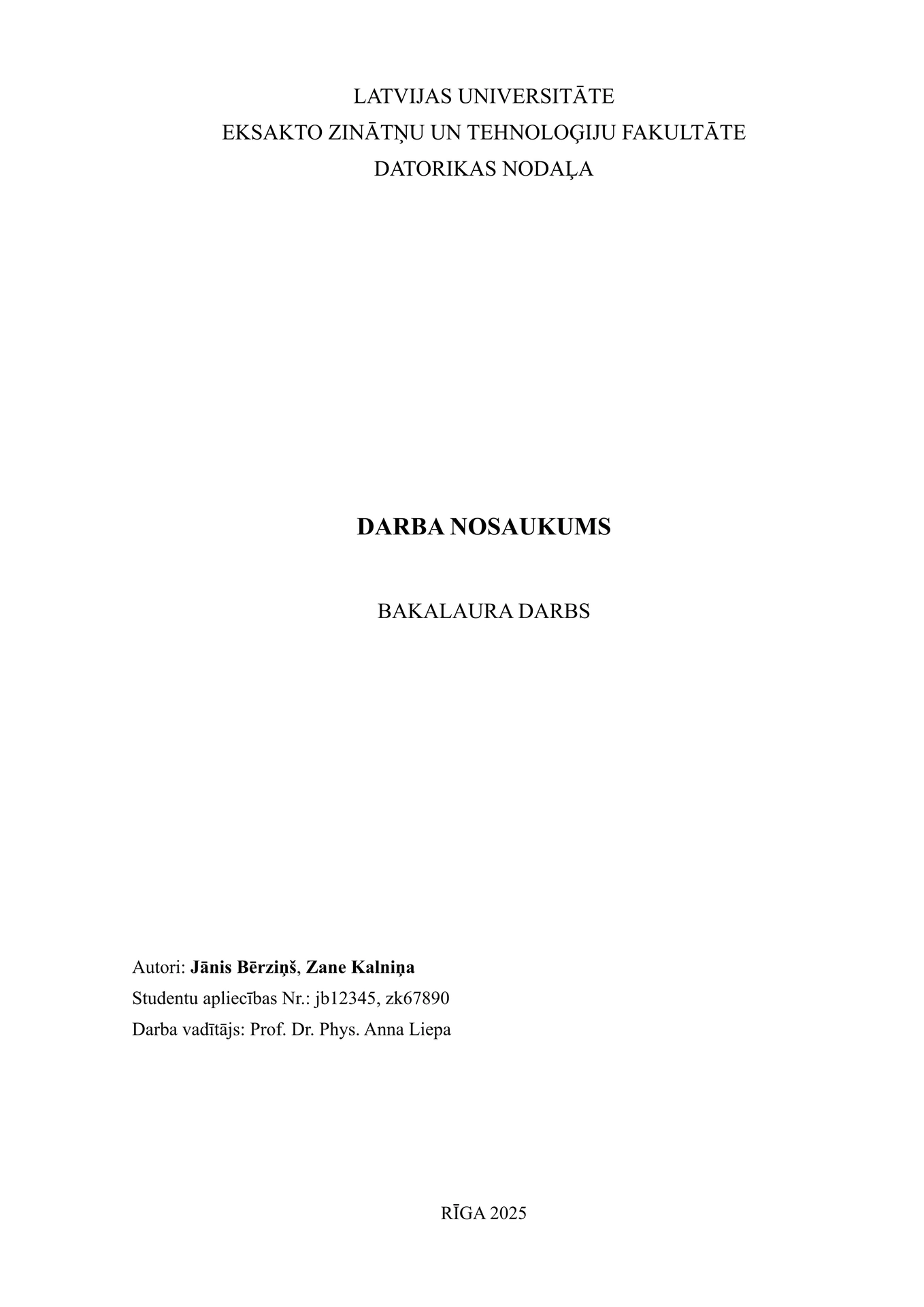
A Typst template to write qualification papers, bachelor’s theses, and master’s theses for Latvijas Universitāte (Faculty of Exact Sciences, Computer Science). The package provides university-compliant layout rules, helpers for title/abstract/appendices, and a ready-to-edit example.
Usage
Use the template in the Typst web app by clicking “Start from template” and
searching for solo-lu-df, or initialize a new project with the CLI:
typst init @preview/solo-lu-df
Typst will create a new directory with the files needed to get started.
Configuration
This template exports the ludf function which accepts named arguments to
configure the whole document, bibliography-here() marker and appendix helper
function. Important arguments:
title: Document title (content).authors: Array of author dictionaries. Each author must havenameandcodeand may includelocationandemail.advisors: Array of advisor dictionaries withtitleandname.reviewer: Reviewer dictionary withname. Used on the documentary page for thesis types that include a reviewer.thesis-type: Type of thesis -"bachelor","master","course", or"qualification". The documentary page adapts its content based on this value.submission-date:datetime(...)value for the thesis submission date. Defaults totoday.defense-date:datetime(...)value for the thesis defense or presentation date. Used on the documentary page for thesis types that include it. Defaults totoday.place: Place string (e.g.,"Rīga").abstract: A record withprimaryandsecondaryabstracts. These are role-based sections, not fixed languages:primaryis the main abstract andsecondaryis the additional required abstract. By defaultprimaryis Latvian andsecondaryis English, but both can be overridden. Each hastext(content) andkeywords(array) as well astitle,langandkeywords-title.bibliography: Result ofbibliography("path/to/file.yml")ornone. Place#bibliography-here()in the body where the references section should appear.locale: Built-in locale preset name. Currently"lv"and"en"are provided. Defaults to"lv".labels: Optional nested dictionary of label overrides merged into the selected locale preset.outline-title: Title for the table of contents. Defaults to"Saturs".show-documentary-page: Whether to display the documentary page at the end. Defaults totrue.documentary-page-layout: Documentary page layout."legacy"keeps the existing layout."declaration"enables the new “Apliecinājums” declaration page. Defaults to"declaration".description: Document description for PDF metadata. Defaults tonone.- Positional argument: the document body follows the
ludf.with(...)call.
Note: The template automatically extracts keywords from both primary and secondary abstracts and sets them as PDF document metadata.
The function also accepts a single, positional argument for the body of the paper.
The template will initialize your package with a sample call to the ludf
function in a show rule. If you want to change an existing project to use this
template, you can add a show rule like this at the top of your file:
#import "@preview/solo-lu-df:2.1.0": *

#show: ludf.with(
  title: "Darba Nosaukums",
  authors: (
    (name: "Jānis Bērziņš", code: "jb12345", email: "jb12345@edu.lu.lv"),
  ),
  advisors: (
    (title: "Mg. dat.", name: "Ivars Ozoliņš"),
  ),
  reviewer: (title: "", name: "Prof. Anna Liepa"),
  submission-date: datetime(year: 2025, month: 1, day: 1),
  defense-date: datetime(year: 2025, month: 1, day: 15),
  // documentary-page-layout: "legacy",
  place: "Rīga",
  bibliography: bibliography("bibliography.yml"),
  abstract: (
    primary: (text: [ Anotācijas teksts... ], keywords: ("Foo", "Bar")),
    secondary: (text: [ Abstract text... ], keywords: ("Foo", "Bar")),
  ),
)

// Your content goes here.

#bibliography-here()

= Pielikumi
#appendix(
  caption: "Attachment table",
  label: <table-1>,
  table(
    columns: (1fr, 1fr),
    [Column 1], [Column 2],
  ),
)
// or
#figure(
  caption: "Another table",
  kind: "appendix",
  table(
    columns: (1fr, 1fr),
    [Column 1], [Column 2],
  ),
) <table-2>
If you use bibliography, place #bibliography-here() exactly once.
v2 Migration Guide
Apply these changes to your existing document:
- Rename
attachment(...)toappendix(...). - Remove the
attachmentsandattachment-titlearguments fromludf.with(...). - Move appendices into the document body instead of adding them through
attachments. - Replace
datewithsubmission-dateanddefense-date. - Rename
display-documentarytoshow-documentary-page. - Place
#bibliography-here()exactly once where you want the references section to appear. - If you override abstract labels, rename
keyword-titletokeywords-title. - If you override labels, convert flat overrides to the new nested
labelsstructure.
 #show: ludf.with(
-  date: datetime(year: 2025, month: 1, day: 1),
-  display-documentary: true,
+  submission-date: datetime(year: 2025, month: 1, day: 1),
+  defense-date: datetime(year: 2025, month: 1, day: 15),
+  show-documentary-page: true,
-  attachments: (
-    attachment(caption: "Attachment table", table()),
-  ),
 )
Appendix and bibliography placement in v2:
#bibliography-here()

= Pielikumi
#appendix(
  caption: "Attachment table",
  label: <label>,
  table(),
)
// same as
#figure(
  caption: "Attachment table",
  kind: "appendix",
  table(),
) <label>
Examples
Ready-to-edit examples for different thesis types are included:
- Qualification thesis:
examples/qualification-thesis/ - Course work:
examples/course-work/ - Bachelor thesis:
examples/bachelor-thesis/ - Master thesis:
examples/master-thesis/
Browse all examples on GitHub: https://github.com/kristoferssolo/LU-DF-Typst-Template/tree/v2.1.0/examples
The qualification thesis example contains main.typ, bibliography.yml and
small helpers under utils/. Use it as a starting point or copy it into a new
project.
Tips
- Install the fonts used by the template (Times family, JetBrains Mono) to
reproduce exact layout, or change font names in
src/lib.typ. You can override font by setting text font to your desired one. - Bibliography: use Typst’s
bibliography(...)call with a YAML or Bib file. - Diagrams: the example imports the fletcher package and includes small
helpers under
examples/.../utils/, but you can also use exported images from draw.io (diagrams.net) or any other diagram editor.
Recommend packages
Depending on your thesis content, these Typst packages can pair well with this template:
zerofor advanced scientific number and unit formatting, depending on which better fits your use case.fletcherfor diagrams.equatefor equation helpers.lilaqfor plots.lovelacefor flexible pseudocode and algorithms.codlyfor better code listings.
Locale Labels
Localized strings are stored in nested dictionaries. Override them through the
labels argument using the same structure as the built-in locale preset:
#show: ludf.with(
  locale: "en",
  labels: (
    title: (
      page: (
        advisors: (
          plural: "supervisors:",
        ),
      ),
    ),
    documentary: (
      page: (
        reviewer_label: "External Reviewer",
      ),
    ),
  ),
)
Common paths include:
labels.title.page.authors.singularlabels.title.page.authors.plurallabels.title.page.student_id.prefix.singularlabels.title.page.student_id.prefix.plurallabels.title.page.student_id.labellabels.title.page.advisors.prefixlabels.title.page.advisors.singularlabels.title.page.advisors.plurallabels.documentary.page.titlelabels.documentary.page.reviewer_labellabels.documentary.page.declaration_layout.titlelabels.documentary.page.declaration_layout.statement_prefixlabels.documentary.page.declaration_layout.thesis_label.bachelorlabels.documentary.page.declaration_layout.thesis_label.masterlabels.documentary.page.declaration_layout.thesis_label.courselabels.documentary.page.declaration_layout.thesis_label.qualificationlabels.documentary.page.declaration_layout.statement_suffixlabels.documentary.page.declaration_layout.submission_statementlabels.abstract.primary.titlelabels.abstract.primary.keywords_titlelabels.abstract.secondary.titlelabels.abstract.secondary.keywords_titlelabels.bibliography.titlelabels.supplement.figurelabels.supplement.tablelabels.supplement.appendix
Partial nested overrides are supported, so you only need to provide the leaf values you want to change.
For the full set of available labels, see src/locale.typ.
Changelog
v2.1.0
- Added
documentary-page-layoutfor selecting between the legacy documentary page and the new declaration page. - Refined document spacing constants for paragraph, equation, and heading layout.
- Improved figure formatting by making captions sticky, setting caption text size, preventing image figures from breaking, and separating image/table/appendix figure rules.
v2.0.0
- ⚠️Breaking Change: rename
attachment(...)toappendix(...). - ⚠️Breaking Change: remove the
attachmentsandattachment-titlearguments. Appendices now live directly in the document body. - ⚠️Breaking Change: replace
datewithsubmission-dateanddefense-date. - ⚠️Breaking Change: rename
display-documentarytoshow-documentary-page. - ⚠️Breaking Change: place references explicitly with
#bibliography-here(). - Changed: clarify abstract roles and rename
keyword-titletokeywords-title. - Added: locale presets via
localeand nested label overrides vialabels. - Fixed: title-page author alignment, documentary authorized-person wording, appendix supplement localization, and appendix caption formatting.
- Docs: add nested locale override examples and optional Typst package suggestions.
v1.1.2
- Fixed documentary page thesis-title normalization before rendering.
- Docs: pin example links to the tagged release.
- Chore: add GitHub issue templates.
v1.1.1
- Added short
thesis-typekeys such as"bachelor","course", and"qualification". - Added master thesis support plus bachelor-thesis and course-work examples.
- Improved the bachelor thesis documentary page.
- Fixed reviewer handling, title-page justification, and duplicate spacing in title content.
- Docs: refresh README examples and thumbnail.
v1.0.0
- Added an embedded fallback font.
- Added the
descriptionfield to the template and documented the reviewer example. - Docs: document
outline-titleandattachment-title. - Chore: clean up template internals and bump the version.
v0.1.5
- Added attachments to the outline.
- Docs: document new fields, the
descriptionfield, and PDF keyword metadata behavior.
v0.1.4
- Refactored the documentary page.
- Fixed paragraph spacing.
v0.1.3
- Added the
display-documentaryparameter. - Docs: fix the package version in the README.
v0.1.2
- Added sticky captions and heading behavior.
- Fixed documentary-page line breaks and typos.
v0.1.1
- Fixed the submission date typo in
utils.typ. - Updated font sizes.
v0.1.0
- Added the base template, qualification thesis example, documentary page, and attachment support.
- Improved figure and table captions, reference numbering, and reference supplements.
- Docs: add README files and advisor example fixes.
License
This project is licensed under the MIT-0 License. See the LICENSE file for details.