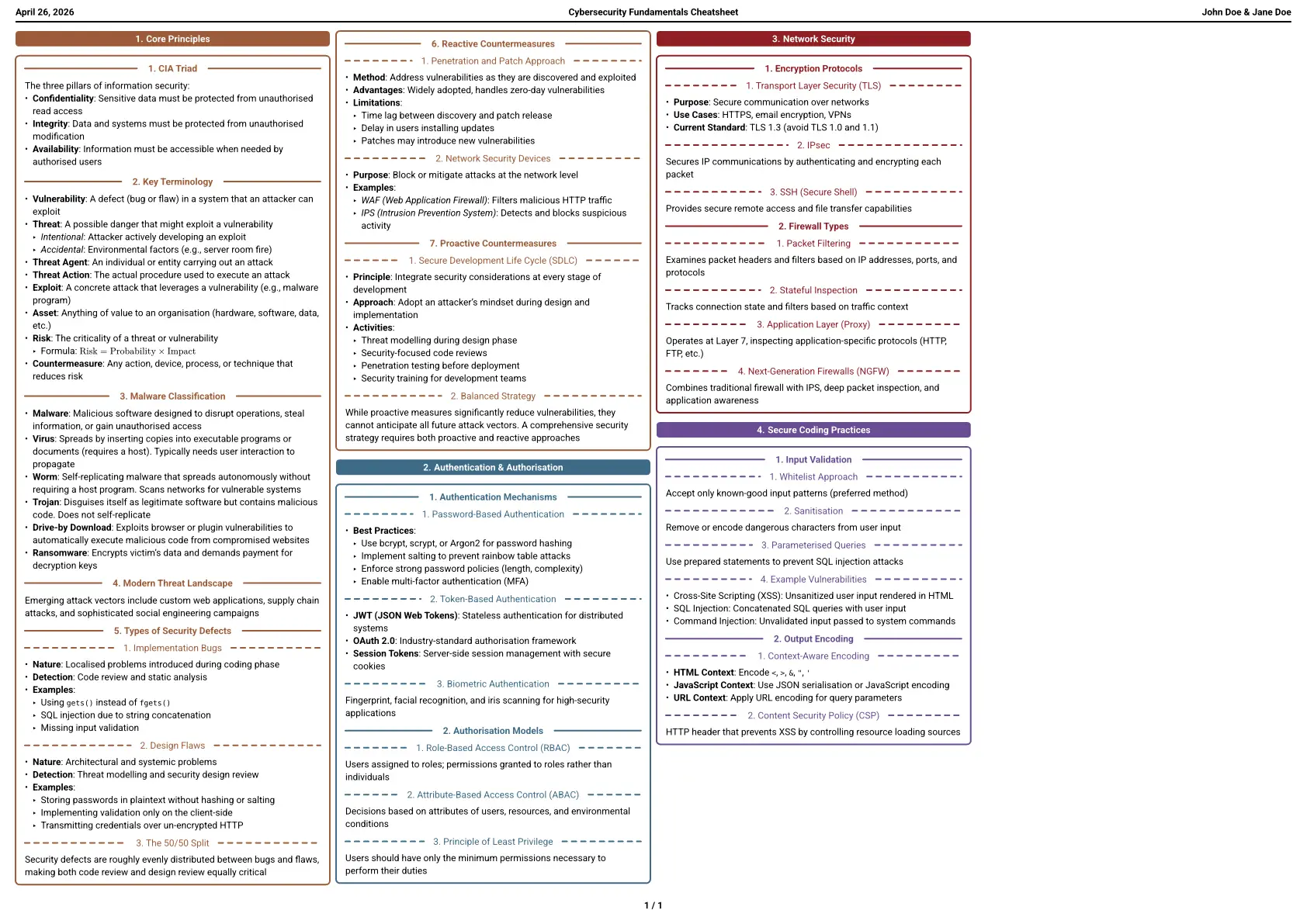
simple-cheatsheet is a simple, customisable cheatsheet template for Typst. It produces a compact, multi-column A4 landscape document with colour-coded section headings.
Setup
typst init @preview/simple-cheatsheet:0.1.0
The template uses Roboto with a fallback chain (Arial → Helvetica → Liberation Sans → DejaVu Sans), so no font installation is required on most systems. For best results, install Roboto.
Usage
#import "@preview/simple-cheatsheet:0.1.0": cheatsheet, container

#show: cheatsheet.with(
  info: (
    title: "My Subject",
    authors: ("Jane Doe",),
  ),
)

= Section
#container[
  == Subsection
  Content goes here.
]
Configuration
All cheatsheet parameters and their defaults:
#show: cheatsheet.with(
  info: (
    title: "",       // Shown in header centre
    authors: (),     // Shown in header right; string or array of strings
  ),
  headers: (
    align: center,   // Alignment of level-1 headings
    numbering: true, // Show numbering on headings
  ),
  layout: (
    font-size: 6pt,
    margin: (x: 10pt, y: 20pt),
    columns: (
      count: 4,
      gutter: 4pt,
    ),
  ),
)
container
Wrap content in a coloured border box that matches the current section colour:
#container(alignment: start)[
  Your content here.
]
get-color
Returns the colour assigned to the current section (cycles through a built-in palette based on the heading counter). Useful for custom styling that should stay consistent with section colours:
#import "@preview/simple-cheatsheet:0.1.0": get-color

#context text(fill: get-color(location: here()))[Custom coloured text]
Feature requests & problems
Feel free to request features or report problems here.
License
MIT-0 — see LICENSE.
Credits
This template is based on boxed-sheet, but the code was heavily modified.