Officially affiliated
Official Typst template for final theses at the Faculty of Electrical Engineering and Information Technology, STU in Bratislava (STU FEI).
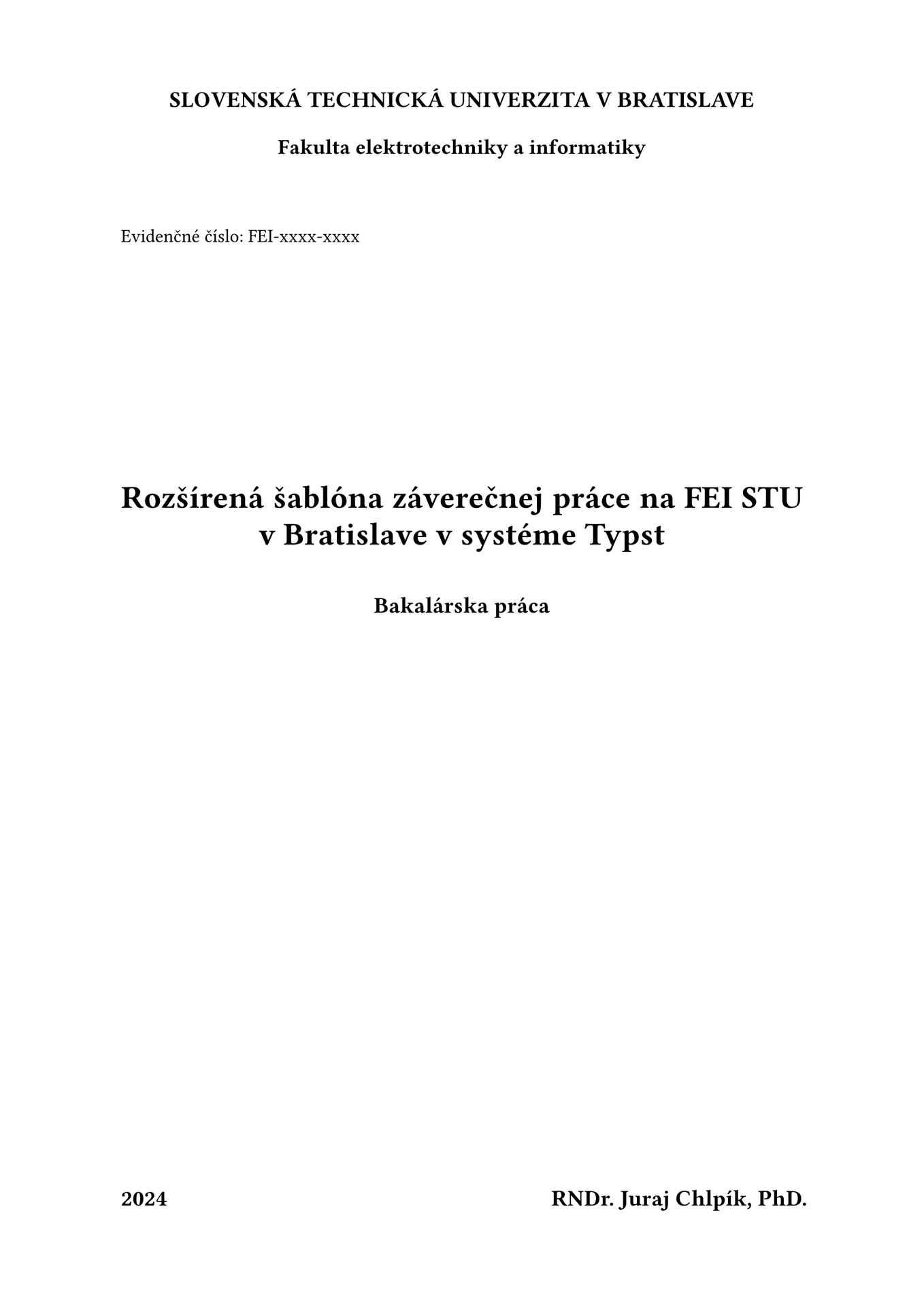
It gives you the mandated cover and title pages, the assignment insert, abstracts with keywords, all the required lists (contents, abbreviations, listings, figures and tables), the AI-usage declaration and lettered appendices — so you only write the text.

See the full example thesis (PDF) — the template ships with this document as its demo content, so a fresh project compiles straight into it.
Requirements
- Typst 0.14 or newer (the assignment insert relies on embedding PDF pages as images).
- The template uses Libertinus Serif for text and Libertinus Math for math. Libertinus Serif
ships with Typst, but when compiling locally (command line or VS Code) you need to install
Libertinus Math yourself: download the latest
Libertinus release and install
static/OTF/LibertinusMath-Regular.otf. Use the OTF file — the TTF and web builds have no math table, and Typst then warns “current font is not designed for math”. Different fonts can be set with#show: fei-thesis.with(font: "...", font-math: "..."). - The demo content is written in Slovak; the template is available in Slovak and English.
Getting started
Pick whichever of the three you are most comfortable with. All of them create the same project.
Typst app (easiest, nothing to install)
- Go to typst.app and create an account.
- Start a new project from a template and search for fei-thesis.
- Create the project — you get
main.typplus the whole folder structure described below.
VS Code
- Install VS Code.
- Install the Tinymist Typst extension, which compiles the document and gives you a live preview.
- Open the Tinymist view in the sidebar, click Template Gallery, and find fei-thesis.
- Click the + to create a project from it.
- Open
main.typ. The buttons in the top-right corner start the live preview or export a PDF.
Command line
# install Typst first: https://typst.app/open-source/#download
typst init @preview/fei-thesis:1.0.0 my-thesis
cd my-thesis

typst watch main.typ     # live rebuild while you write
typst compile main.typ   # one-off PDF
Project structure
main.typ is the entry point you compile — it wires everything together and holds your
metadata. In short: includes/ holds the important files — everything you write goes there,
while assets/ is for your own files, such as images and figures.
| Path | What it is |
|---|---|
main.typ |
Entry point: metadata and document assembly. Edit the metadata, rarely the rest. |
includes/core.typ |
The body of your thesis. This is where you spend your time. |
includes/introduction.typ |
Introduction (Úvod). |
includes/conclusion.typ |
Conclusion (Záver). |
includes/abstractSK.typ / abstractEN.typ |
Slovak and English abstracts. |
includes/thanks.typ |
Acknowledgements. |
includes/resume.typ |
Slovak résumé — only needed when the thesis is written in English. |
includes/ai_declaration.typ |
Declaration of AI-tool usage. |
includes/appendixA.typ, appendixB.typ, appendixC.typ |
Appendices. Add or remove freely. |
includes/glossary.csv |
Abbreviations, expanded automatically in the text. |
includes/manual_glossary.typ |
Hand-written list of symbols, if you prefer it over the CSV. |
includes/assignment.pdf |
Replace this with your assignment exported from AIS. |
includes/listings/ |
Source files you want to print as code listings. |
assets/ |
Images and figures. |
bibliography.bib |
Your sources, in BibTeX format. |
The demo files are filled with the example thesis — overwrite their contents, keep the file names, and everything stays wired up.
Filling in your thesis
Metadata
All fields go into fei-setup. Every one of them has a default, so nothing will crash if you omit
one — but the default is placeholder text ("tituly Meno Priezvisko, tituly") that will be printed
on your title page, so fill them all in.
| Field | Notes |
|---|---|
title |
Thesis title. |
author |
Your full name with degrees. |
reg-nr |
Registration number, e.g. FEI-xxxx-xxxx. |
date |
Printed as given — write it out, e.g. "31. decembra 2024". |
year |
Year of submission. |
thesis-type |
e.g. "Bakalárska práca", "Diplomová práca". |
study-programme, study-field |
From your study plan. |
school, faculty |
Pre-filled with STU / FEI. |
supervisor, consultant |
With degrees. Leave consultant out if you have none. |
training-workplace |
Your supervising department. |
The assignment
Export the assignment from AIS, save it as includes/assignment.pdf, and set pages: to the number
of pages that PDF has — each page is inserted full-bleed:
#fei-assignment(read("includes/assignment.pdf", encoding: none), pages: 2)
Abbreviations
includes/glossary.csv is a two-column CSV — short form, then full form:
CDMA,Code Division Multiple Access
GSM,Global System for Mobile communication
Use them in the text with the abbr package; the first occurrence is expanded automatically and the
list at the front of the thesis is generated for you. To use it, uncomment
#fei-list-of-glossaries(...) in main.typ and delete #fei-list-of-manual-glossaries(...).
The shipped main.typ uses the hand-written list in includes/manual_glossary.typ instead, which
is useful when you need symbols and units.
Appendices
All appendices go into a single #fei-appendix[...] block. Every level-1 heading inside it
becomes one lettered appendix — the heading text is printed as Dodatok A: Algoritmus and the
lettering continues automatically. To reference an appendix, put a label on its heading:
// includes/appendixA.typ
= Algoritmus <alg:1>
and cite it in the text with @alg:1. Add or remove appendices by adding or removing includes
(or headings) inside the block.
Résumé
A thesis written in English must also contain a résumé in Slovak. Write it in
includes/resume.typ and uncomment the line after the conclusion in main.typ:
#fei-resume[#include "includes/resume.typ"]
The heading is Rezumé by default; pass lang: "en" to get Résumé. It is not listed in the
table of contents.
Language
fei-thesis takes language: "sk" (default) or language: "en", which switches all generated
headings and labels — Literatúra / Bibliography, Dodatok / Appendix, and so on. It does not
translate the demo text, which is Slovak.
#show: fei-thesis.with(language: "en")
main.typ
The full entry point, as shipped:
#import "@preview/fei-thesis:1.0.0": *

#show: fei-thesis.with(language: "sk")

#show: fei-setup.with((
  title: [Rozšírená šablóna záverečnej práce na FEI STU v~Bratislave v systéme Typst],
  author: "RNDr. Juraj Chlpík, PhD.",
  reg-nr: [FEI-xxxx-xxxx],
  date: [31. decembra 2024],
  year: [2024],
  thesis-type: [Bakalárska práca],
  study-programme: [názov študijného programu],
  study-field: [názov študijného odboru],
  school: [Slovenská technická univerzita v Bratislave],
  faculty: [Fakulta elektrotechniky a informatiky],
  supervisor: [tituly Meno Priezvisko, tituly],
  consultant: [tituly Meno Priezvisko, tituly],
  training-workplace: [Názov školiaceho pracoviska],
))

#fei-cover-page()
#fei-title-page()
#fei-assignment(read("includes/assignment.pdf", encoding: none), pages: 2)

#fei-thanks[#include "includes/thanks.typ"]

#fei-abstract(
  [#include "includes/abstractSK.typ"],
  lang: "sk",
  [záverečná práca, šablóna, Typst, formátovanie textu, citácie],
)

#fei-abstract(
  [#include "includes/abstractEN.typ"],
  lang: "en",
  [Final thesis, template, Typst, text formatting, citations],
)

#show: start-numbering.with()

#fei-outline()
// #fei-list-of-glossaries[#abbr.load("includes/glossary.csv")]
#fei-list-of-manual-glossaries[#include "includes/manual_glossary.typ"]
#fei-outline-algorithms()
#fei-outline-code()
#fei-outline-figures-tables()

#fei-introduction[#include "includes/introduction.typ"]
#fei-core[#include "includes/core.typ"]
#fei-conclusion[#include "includes/conclusion.typ"]
// Uncomment only if the document is written in english
// #fei-resume[#include "includes/resume.typ"]

#bibliography("bibliography.bib")
#fei-ai-declaration[#include "includes/ai_declaration.typ"]

#fei-appendix[
  #include "includes/appendixA.typ"
  #include "includes/appendixB.typ"
  #include "includes/appendixC.typ"
]
Function reference
| Function | Purpose |
|---|---|
fei-thesis(language: "sk", font: "Libertinus Serif", font-math: "Libertinus Math", bibliography-style: "iso-690-numeric", body) |
Document-wide rules: page size, fonts, headings, figures. Apply as a #show rule first. |
fei-setup(vars, body) |
Registers your metadata. Apply as a #show rule second. |
fei-cover-page() / fei-title-page() |
The two mandated front pages. |
fei-assignment(pdf, pages: 1) |
Inserts your assignment PDF, one full page each. |
fei-thanks(body) |
Acknowledgements page. |
fei-abstract(body, lang: "sk", keywords) |
Abstract plus its keywords. Call once per language. |
start-numbering(body) |
Starts page numbering here. Apply as a #show rule after the front matter. |
fei-outline() |
Table of contents. |
fei-list-of-glossaries(body) |
List of abbreviations, generated from abbr.load(...). |
fei-list-of-manual-glossaries(body) |
Same heading, but with a hand-written list. |
fei-outline-algorithms() |
List of algorithms. |
fei-outline-code() |
List of code listings. |
fei-outline-figures-tables() |
List of figures and tables. |
fei-introduction(body), fei-core(body), fei-conclusion(body) |
The three main parts, each with the right heading and page break. |
fei-resume(body, lang: "sk") |
Slovak résumé, required when the thesis is in English. Not listed in the outline. |
fei-ai-declaration(body) |
Declaration of AI-tool usage. |
fei-appendix(body) |
Wraps all appendices at once. Every level-1 heading inside becomes a lettered appendix — Dodatok A, B, C… |
noindent(body) / indent(body) |
Suppress or force the first-line indent for a block of text. |
Packages
The template itself pulls in abbr and
numbly; you get both for free through the import.
The demo content additionally imports
algorithmic,
mitex,
physica and
chemformula
in the files that use them. They are not loaded automatically — if you want algorithms, LaTeX math,
physics notation or chemical formulas in your own text, import them yourself; if you don’t, deleting
the demo content removes the dependency. All packages are downloaded on first compile, so the very
first build needs an internet connection.
Development
The published package is built into dist/ with tyler,
which rewrites the template’s relative ../lib.typ imports to @preview/fei-thesis:<version>.
Work on the sources in the repository root, then rebuild dist/ before publishing.
For local development you need the Libertinus Math font installed on your system — math is set in
it, and unlike Libertinus Serif it does not ship with Typst. Install the OTF file from the
Libertinus releases (see
Requirements), then check that Typst sees it with typst fonts --variants | grep -A2 "Libertinus Math" — the path it prints should end in .otf.
Run the following command in your typst package will check the package and build it, then install the built package to Typst local package group (-i) as well as prepare the package for publish and display instructions to create a PR (-p):
tyler build -i -p
License
MIT — see LICENSE.