


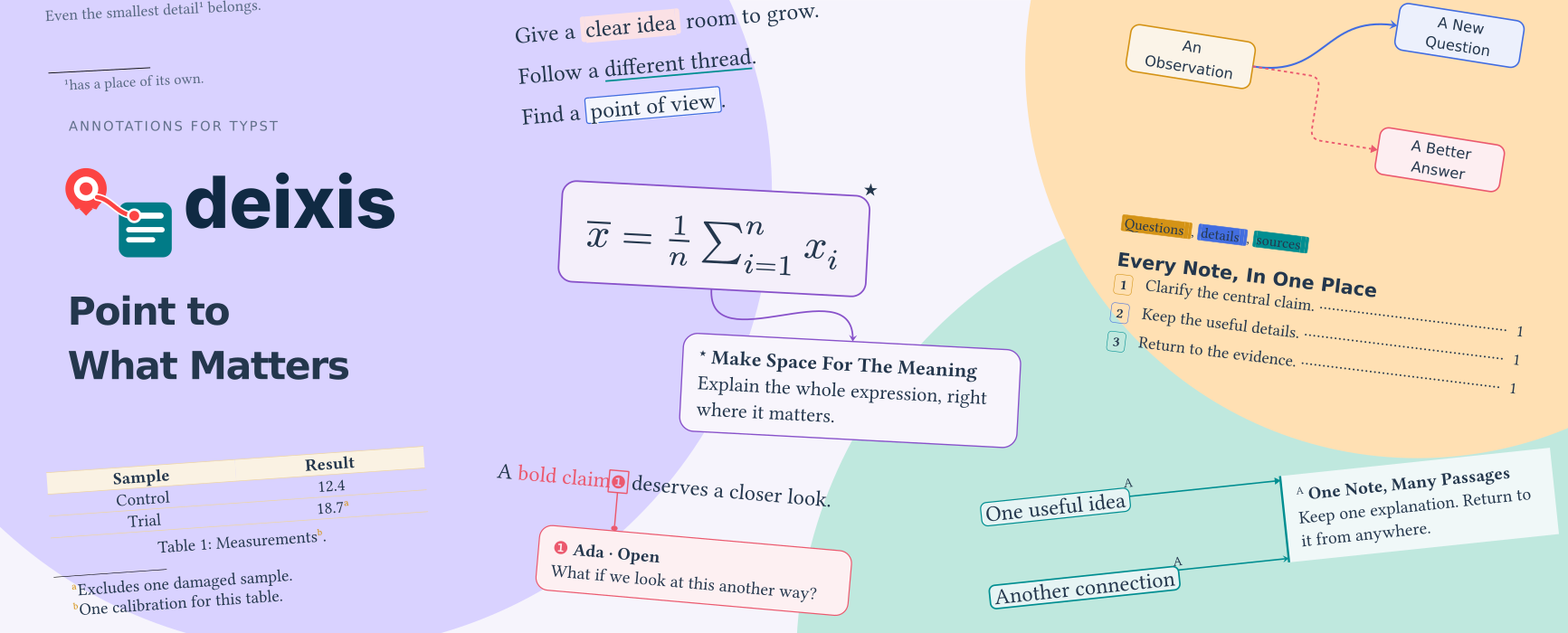
Notes, highlights, and connections for Typst. Keep explanations beside their subjects, share one note across several passages, or connect the parts of an image, equation, or diagram. Use it in articles, edited texts, and presentation slides.
Get started · Website · Read the guide · PDF manual · Browse examples
Requires Typst 0.15.0+.
Start With A Note
#import "@preview/deixis:0.2.0": *
#show: deixis-setup-notes

A useful result#deixis-footnote[A short explanation.]
is easier to read when its details have a place.
Simple wrappers create the mark and explanation together. Choose native footnotes, margin notes, inset callouts, inline explanations, or collected endnotes. Connections and custom styling are optional.
For shorter calls, write with short names such as
footnote and margin-note.
One Explanation, Several Passages
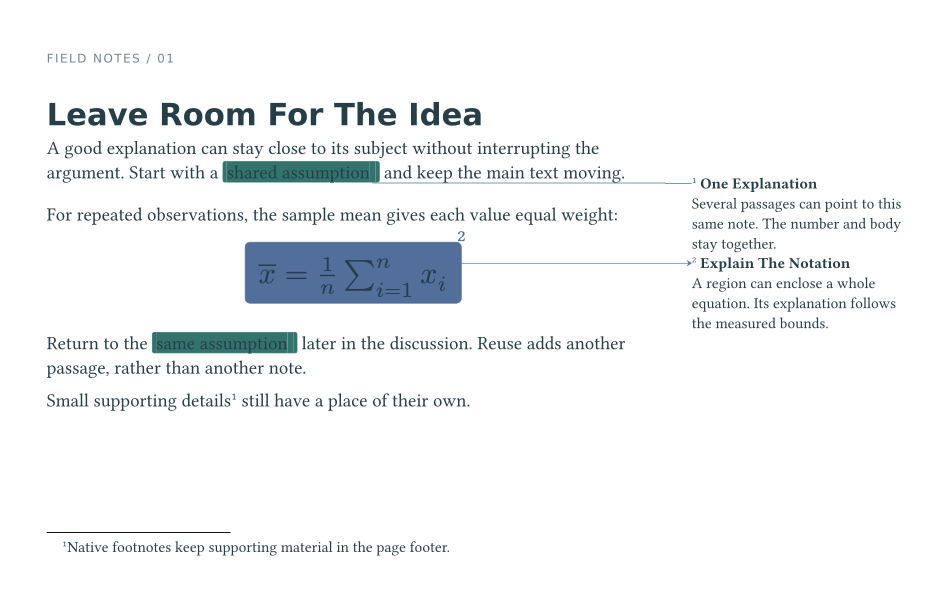
Name an annotation with id: and reuse it with of:. The passages share one
number and one body:
#deixis-margin-note(id: <assumption>, connector: "right-angle")[shared assumption][
  Several passages can point to this same note.
]
Return to the #deixis-mark(of: <assumption>)[same assumption] later.
A reused mark adds a navigation point rather than another note; add
deixis-connect when it also needs a drawn connection. Margin notes need room
beside the text; they pack, and can spill onto existing pages.
Complete document · Shared notes · Appearance
Explain The Equation
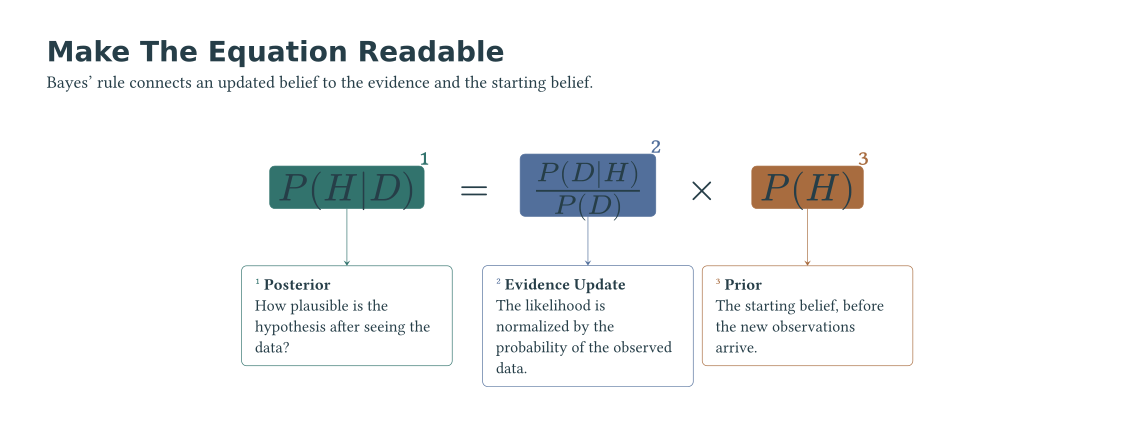
Regions follow the measured content. Add precise callouts to equations, code, images, or tables; choose their colors and connectors independently. The routing API also connects your own objects, with optional obstacle avoidance; the diagram in the banner above uses it.
Editable equation · Regions and pins · Connect your own objects
Review In Draft, Read In Final
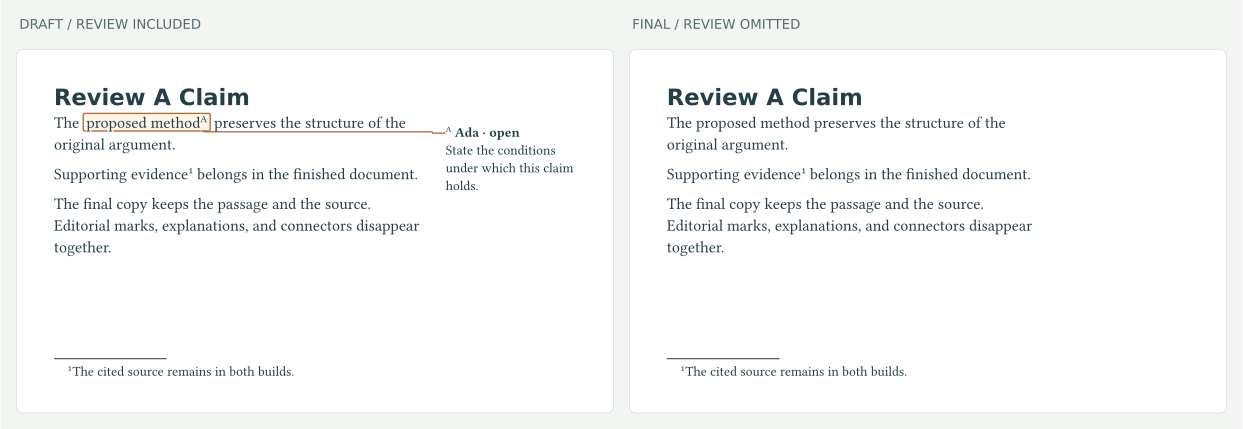
deixis-comment writes an editorial comment in its own "review" series, with
lettered markers that stay apart from source notes:
The #deixis-comment(author: "Ada", status: "open")[proposed method][
  State the conditions under which this claim holds.]
A final build omits that series while preserving the marked passage and the document’s other notes:
#deixis-set(omit: (series: ("review",)))
The comparison renders the same source twice, with --input final=false and
--input final=true. Author and status fields can also drive custom review lists.
Editable review · Draft/final guide · Editorial apparatus and glossaries
Reveal Notes With Your Slides
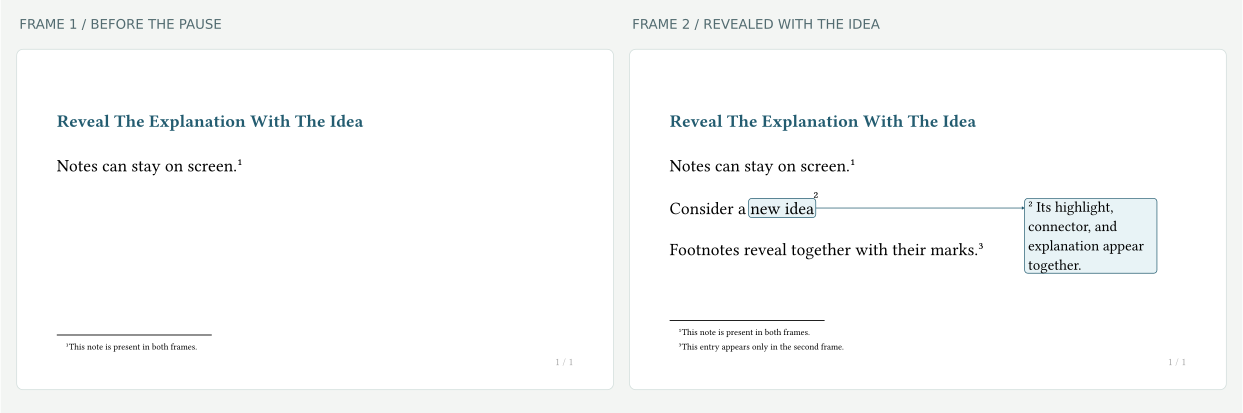
Annotations follow Touying reveals. A highlight, its connector and callout, or a page footnote appears with the content it explains, while earlier notes stay on screen. Install setup in the slide setting and let the theme own the page layers.
Editable slides · Touying integration
Write With Short Names
The opt-in short module offers every public function without the deixis-
prefix. They are the same functions, with the same options:
#import "@preview/deixis:0.2.0": short
#import short: *
#show: setup-notes
#configure(stroke: teal)

A useful result#footnote[A short explanation.]
#note-block[A local table#footnote[Collected at the end of its block.]]
configure is deixis-set, and note-block is deixis-block, so native
set and block keep working. A wildcard import shadows native footnote and
ref; use std.footnote and std.ref for those functions. In math it also shadows attach and
arrowhead; use std.math.attach and std.sym.arrowhead. Import
short as dx to keep names separate and write dx.footnote.
See short names.
Install
Requires Typst 0.15.0+. Import Deixis from Typst Universe:
#import "@preview/deixis:0.2.0": *
Typst downloads the package automatically. Upgrading from 0.1.1? See the compatibility and migration guide.
Go Further
| Task | Guide |
|---|---|
| Pick a note type and placement | Getting started · Body ownership |
| Keep notes with tables or figures | Local collections · Scopes |
| Annotate presentation reveals | Touying integration |
| Restart markers per page or reset counters | Counters |
| Build annotation lists and indexes | Queries · Outlines |
| Style notes or replace a renderer | Configuration · Custom renderers |
| Update an older document | Compatibility and migration |
The PDF manual includes a guided introduction, 23 worked examples with source beside output, and a reference for every public API. The searchable website combines the guides, examples, and API reference. See CONTRIBUTING for local build and serving commands. The Deixis agent skill includes checked authoring recipes.
For development, checks and artwork generation, see CONTRIBUTING.
Acknowledgements
Related work inspired parts of Deixis: drafting, dashy-todo, marge, pinit, and Rik’s endnotes implementation.
License
MIT licensed; see LICENSE. Report bugs or suggest improvements on GitHub.